Choosing channels and reviewing their history
A channel is one source of signals: any Telegram channel or group you have access to.
Where it is: Channels, in the bottom bar.
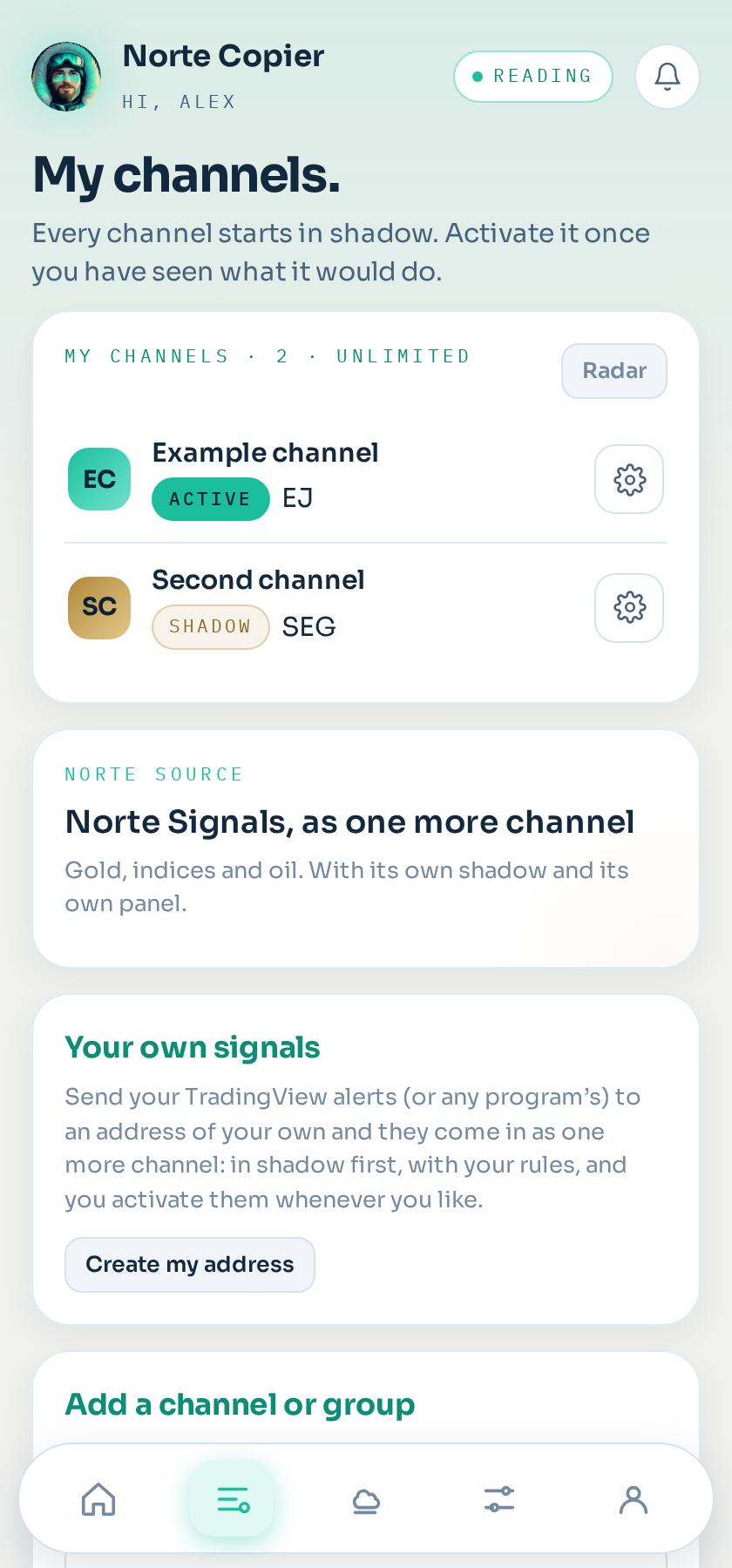
Adding one
Under Channels → Add a channel or group, you will see the list of chats you already follow. Tick the ones you want. They all go into shadow mode: they are read and evaluated, but nothing reaches your account.
On the Shadow plan you can have three at a time. On Copier and Copier Pro, as many as you like.
Which settings it uses
Under each card, the Settings it uses dropdown says which rules that channel copies with: the standard ones, or one of your saved configurations (for example a more conservative one just for gold). Changing it there is immediate and applies from the next signal. See Saved configurations.
Reviewing its history
Each source has a button to read what the channel already published. It is the fastest way to know whether it is worth it: instead of waiting a month, the last few weeks of messages are read and evaluated exactly as if they had arrived live.
Nothing from history is ever executed, not even if the channel is live. That is a rule of the system, not a setting you can change.
The channel panel
Opening a source shows its timeline — when shadow started, how many signals it has, when it started copying for real — its activity over the last fourteen days, and its latest signals with each outcome.
Switching a channel live
When the numbers convince you, open the channel from Channels and tap Activate. It asks for two things first: that the channel has at least one account it copies to ticked (open the channel → This channel's settings), and that you confirm the signals will be executed with your settings. From that moment on, new signals go to that account.
Those already in shadow stay in shadow: nothing is opened retroactively.
Removing it
Removing a channel stops it being read, but does not close what is already open. If you want out of those positions, close them yourself in MetaTrader.
If your Telegram session drops
Your channels are not lost: they stay there with their settings and their ticked accounts, and whatever was already open keeps being managed. The only thing that stop loss is reading new messages, and the screen tells you so at the top, with a button to reconnect. See Connect your Telegram.
Still stuck?
Write to us in the bot and a person reads it. Tell us what you expected and what happened.
Write in Telegram