Your own signals from TradingView
The signal does not have to come from a Telegram channel. If you have a strategy on TradingView — or any program that can send a message to a web address — you can have its alerts enter the copier as one more channel. Same rules, same shadow, same Radar.
Your address
In the app, Channels → Your own signals → Create my address. A channel called “My TradingView alerts” is created and, in its panel, a long web address appears, yours alone. Copy it.
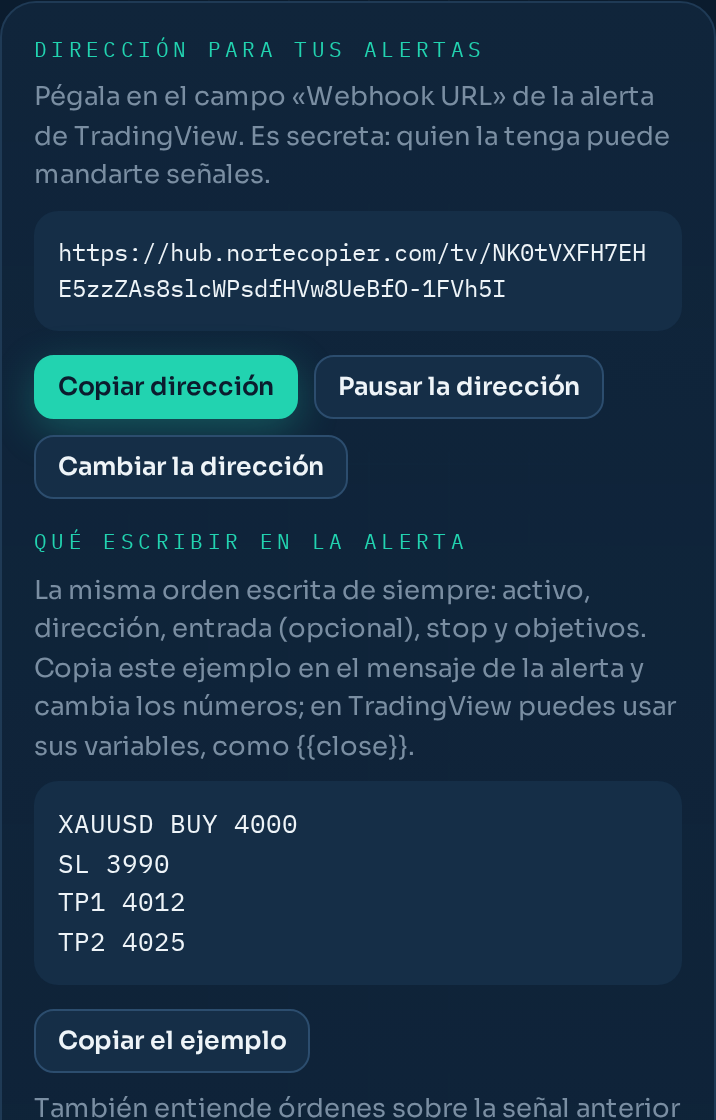
That address is secret: anyone who has it can send you signals. Do not paste it into screenshots or share it. If it slips out, you change it in the same panel with one tap and the old one stops working immediately.
In TradingView
When creating the alert, in the Notifications tab, tick Webhook URL and paste your address. In the alert Message, write the signal as you would write it to a person: instrument, direction, entry if there is one, stop and take profits. The panel has an example ready to copy:
XAUUSD BUY 4000
SL 3990
TP1 4012
TP2 4025
You can use TradingView’s variables inside the message ({{close}}, {{ticker}}…): what arrives is the text with the values filled in. And orders on the previous signal of the same instrument too: XAUUSD CLOSE, XAUUSD MOVE SL 4005, XAUUSD BE.
If the message cannot be understood, nothing is invented: it stays in Activity as ignored, with the reason, just like an odd message from a channel.
First, a test
The address is born in test mode: whatever arrives is read and shown to you, but does not count as a signal yet. Create the alert in TradingView with your message and fire it (or use the panel’s Test with the example button). Within seconds the panel shows the text that arrived and what was understood: instrument, direction, entry, stop and take profits. If that is what you meant, tap It is right: enable. If not, fix the alert message and send another.
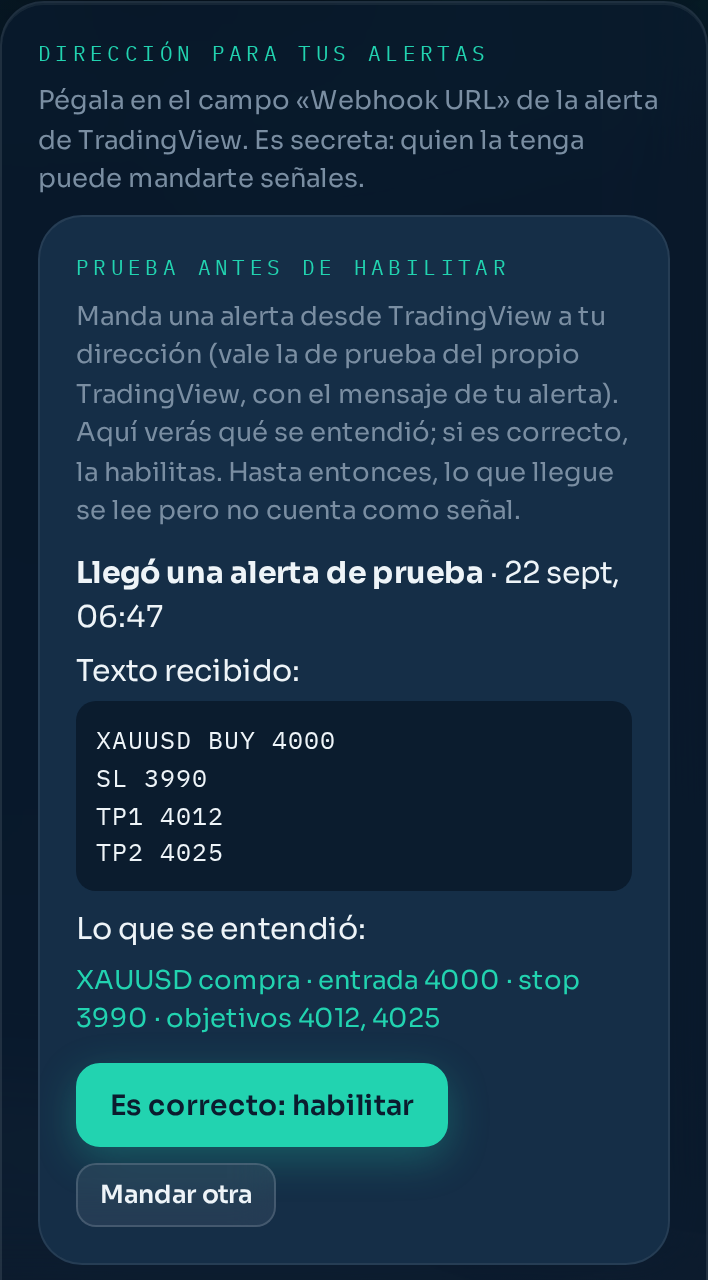
From then on, alerts come in as signals. If you change your alert’s format later, the panel has Test again.
It starts in shadow
The channel is born in shadow: every alert is followed with your broker’s prices and you see what it would have done, but nothing is opened. When the numbers convince you, you activate it like any other channel. This way a misconfigured alert never opens trades you did not ask for.
Protections
- Cap of ten alerts per minute. Anything above is rejected. If the excess lasts three minutes in a row, the address pauses itself and we let you know through the bot: it is almost always an alert firing on every bar. You resume it from the panel.
- A repeated alert (same text within the same minute) counts once.
- Password inside the message, optional: a word that must be in the text (for example, “key: blue” at the end). Without it nothing gets in, even if someone has your address.
- Only from TradingView, optional: rejects anything not coming from its official addresses. Turn it off if you send alerts from another program.
- And everything as always: mandatory stop loss if you have it so, quality filter, open-trade cap, daily loss, duplicates.
In the panel you see the latest alerts that arrived, with their time and whether they were accepted or why not.
Still stuck?
Write to us in the bot and a person reads it. Tell us what you expected and what happened.
Write in Telegram