Saving configurations and using them per channel
Once you have three or four channels, configuring each by hand gets tedious. And worse: you end up with slightly different configurations without meaning to.
Where it is: Settings → My settings.
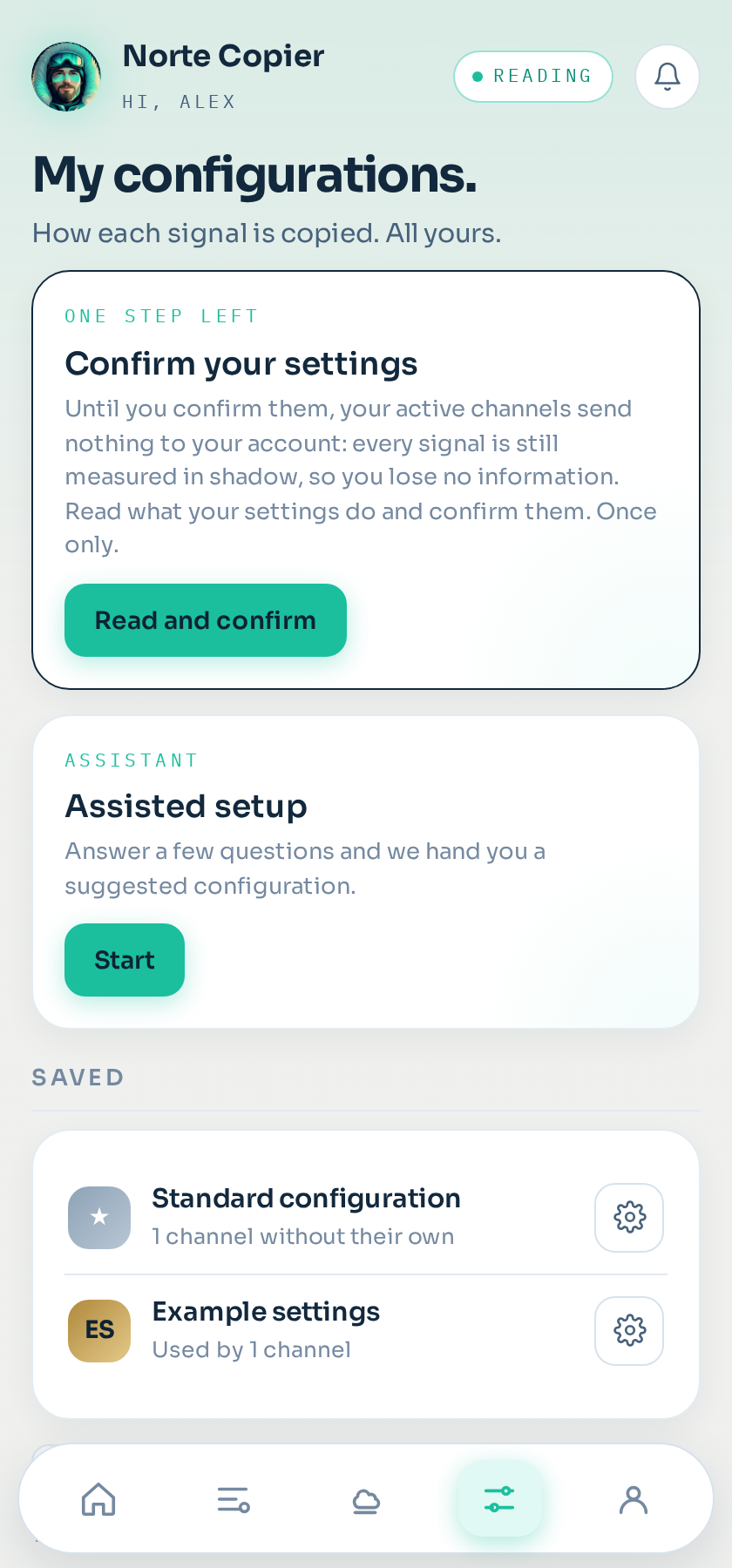
What a saved configuration is
A complete set of settings with a name of your own: Gold scalping 0.5%, Index swing, Prop firm test. You save it once and assign it to whichever channels you want.
How to use it
The channel card has a configuration dropdown. Pick the saved one you want and that channel starts running on it.
If you later change the saved configuration, every channel using it changes. That is the good part and the dangerous part at once: check how many it affects before touching it.
How many you get
Three on Shadow, five on Copier and twenty on Copier Pro. Five covers almost everything: scalping, swing, a prop firm account, and a conservative one for new channels.
An idea that works
Save one conservative configuration — low risk, strict limits, quality filter on — and use it as the starting point for every new channel. When the channel earns its trust in shadow, give it the one it deserves.
With no saved configuration
A channel can have its own loose configuration, belonging to none. That is what happens by default and it is fine if you have one or two channels.
Still stuck?
Write to us in the bot and a person reads it. Tell us what you expected and what happened.
Write in Telegram