Copying with no PC: rented server or cloud account
If you do not have a computer running all day —or no computer at all— there are two ways for your account to keep copying. This article explains both and which one suits you.
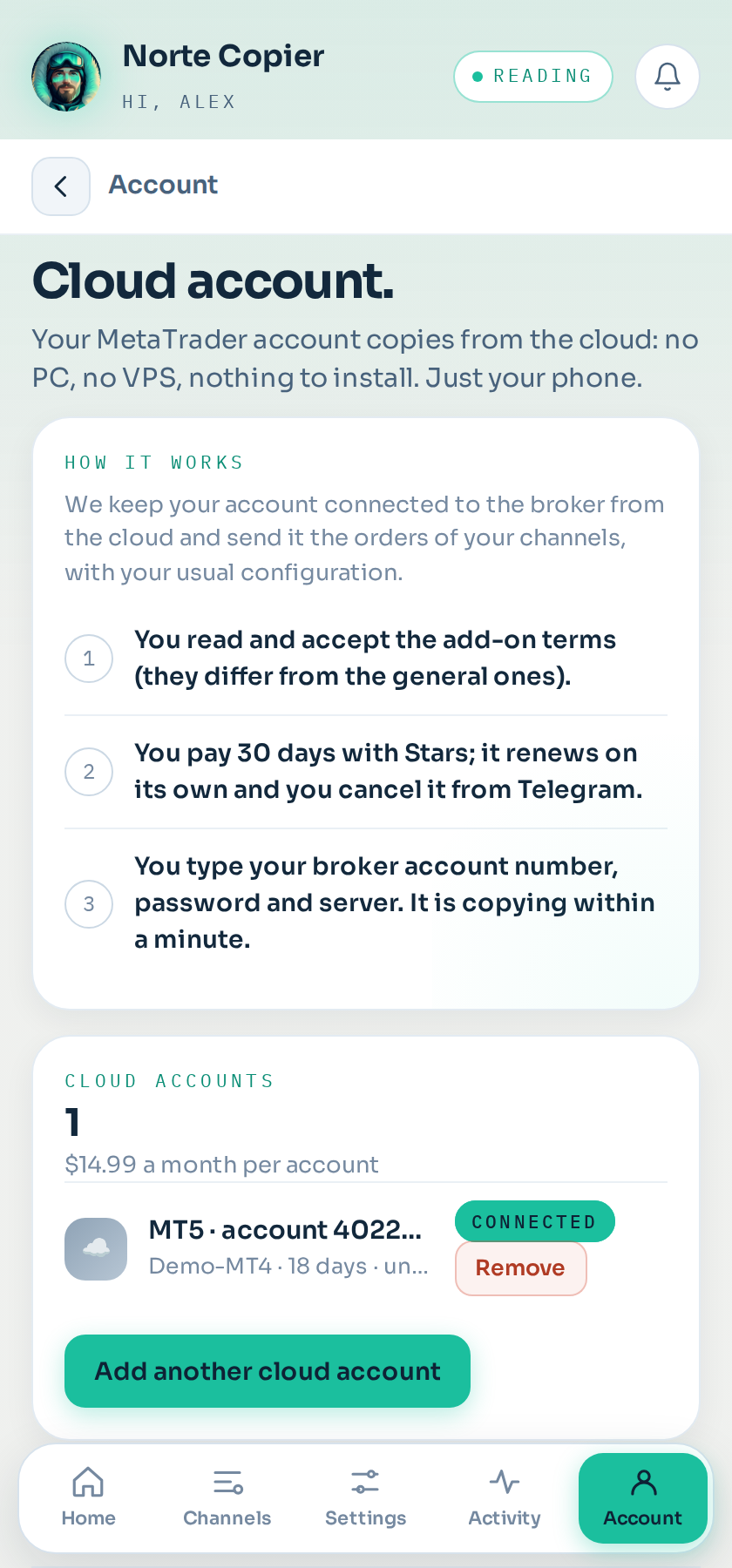
Where it is: Accounts → In the cloud.
Path 1: rent a server from MetaQuotes (from $12.80 a month)
This is the cheap path, and the one that touches least of your details: nobody but you touches your password.
MetaTrader has server rental built in. You hire it from the program itself (right-click your account in the Navigator panel → Register a Virtual Server), and during the process MetaTrader copies your terminal as it is, with our program inside. From then on you can switch your computer off: the server keeps going.
MetaQuotes prices: $15 a month on its own, $42 for three months ($14 a month), $79 for six ($13 a month) and $153 for a year ($12.80 a month). You can cancel within the first 24 hours and get everything back. You pay them directly.
You need a computer once, to set it up. Borrowing one for a while is enough.
Path 2: the cloud account (Cloud plan, or a $14.99 a month add-on per account)
If you only have a phone, this is your path: no computer is needed at any point. You get the add-on in the app, type your MetaTrader details there, and we keep your account connected to your broker from the cloud. Your channels' signals are executed just as with the program installed.
There are two ways to have one:
- The Cloud plan ($49 a month): it brings one trading account, and that account runs in the cloud. It is not «Copier plus the cloud»: it is the cloud. It is the option for people who only have a phone and will not link a MetaTrader of their own. You pick it under Profile → Your plan.
- Copier ($29) plus a cloud account ($14.99) is $43.99 a month and leaves you two accounts: one on your computer and one in the cloud. If you are going to use both, it works out better than Cloud.
- The add-on ($14.99 a month per account): to add cloud accounts to any paid plan, or a second one to the Cloud plan.
Either way, the account is connected in the app: Accounts → In the cloud. Before connecting you have to read and accept terms specific to this add-on, different from the general ones: it changes who does what, and you should know that beforehand.
What to know before you buy it
- One account, one place. If that same account already copies from the program in your MetaTrader, do not also put it in the cloud: every signal would open two orders. Remove it from your trading accounts first, or use another account for the cloud. (The app will not let you, precisely because of this.)
- The connection is kept by an outside server provider, on servers that are not ours. We send it the orders.
- Your trading password is handed to that provider. You type it in our app and we pass it on at that moment; we do not store it. You can change it at your broker whenever you want and that cuts the access.
- It is the trading password, not the investor one: without it no orders can be opened.
- Many brokers and almost all funding companies forbid it. Checking beforehand is your responsibility; if your broker does not allow it, use path 1.
- If the provider goes down, no orders are executed while that lasts. What you have open stays at your broker with its stop loss and take profit.
- We recommend an account dedicated to copying, not your savings.
How it is charged
On the Cloud plan the first account is part of the plan and renews with it. The others —or all of them, if your plan is Copier or Copier Pro— cost $14.99 a month per cloud account. It is a one-off charge: when the month is up you pay it again, and the bot warns you beforehand. If it is not paid: 24 hours of margin, then the account is switched off and stops receiving orders; if you pay within the following 7 days it switches back on as it was, and after those 7 days it is deleted and would have to be connected again.
On the Shadow plan it makes no sense, because Shadow does not trade.
Connecting it
- In the app: Accounts → In the cloud → Add an account.
- Read the terms and tick the box.
- Choose how to pay and pay.
- Type your account number, trading password and broker server. The server shows in MetaTrader, in the login window, and your broker also emails it to you: copy it exactly, spaces and numbers included (for example
XMGlobal-MT5 3). - In under a minute the account appears among your trading accounts, with a cloud. Tick it in the channels you want copying into it (Channels → the channel → This channel's settings → Accounts it copies to): a new account does not join any channel on its own.
Removing it
On the same screen, Remove. Your access details are deleted from the provider and it stops copying; what you have open stays at your broker. Remaining days are not refunded. And you can go back to the program in your own MetaTrader whenever you want: your history stays.
Which one to choose
| MetaQuotes server | Cloud account | |
|---|---|---|
| Price | $12.80-15 a month | Included in the Cloud plan, or $14.99 a month per account |
| Do you need a computer? | Yes, once, to set it up | No, never |
| Who sees your password? | Nobody but you | The cloud provider |
| Does your broker allow it? | Always (it is your own terminal) | Depends on the broker; prop firms almost never |
If you can use a computer for a while, path 1 is better and cheaper. If you only have a phone, path 2 exists for exactly that.
Still stuck?
Write to us in the bot and a person reads it. Tell us what you expected and what happened.
Write in Telegram