From zero: MetaTrader, the installer and your first account
From "I have nothing" to "my account is connected". About twenty minutes, and most of it is waiting for MetaTrader to install.
If you would rather watch it, the whole thing is recorded: watch the video.
What you need
A Windows PC and a trading account, demo or real. If you have neither, step 2 creates a free demo in two minutes.
You do not need to know how to code, install anything odd, or give anyone the password to your trading account.
1. Install MetaTrader
If your broker gave you MetaTrader 5, download it from metatrader5.com. If they gave you MetaTrader 4, from metatrader4.com. Not sure which? Check your broker's welcome email: it says so there.
You can have both installed at once; they do not get in each other's way.
Open the downloaded file and click next. It takes a few minutes and shows MetaQuotes adverts while it works: that is normal, let it finish.
2. Log in to your account
When it opens, MetaTrader asks for an account.
- If you already have one with your broker: search for your broker's name, pick your server and type your account number and password.
- If you have none: choose to open a demo account. Fill in name and email and MetaTrader gives you a number and a password. Write them down, because it does not show them again.
> A demo is plenty to try Norte Copier. Never start with real money until you have watched the copier work.
3. The Norte Copier installer
On that same PC, type nortecopier.com/instalador in the browser and open the file that downloads.
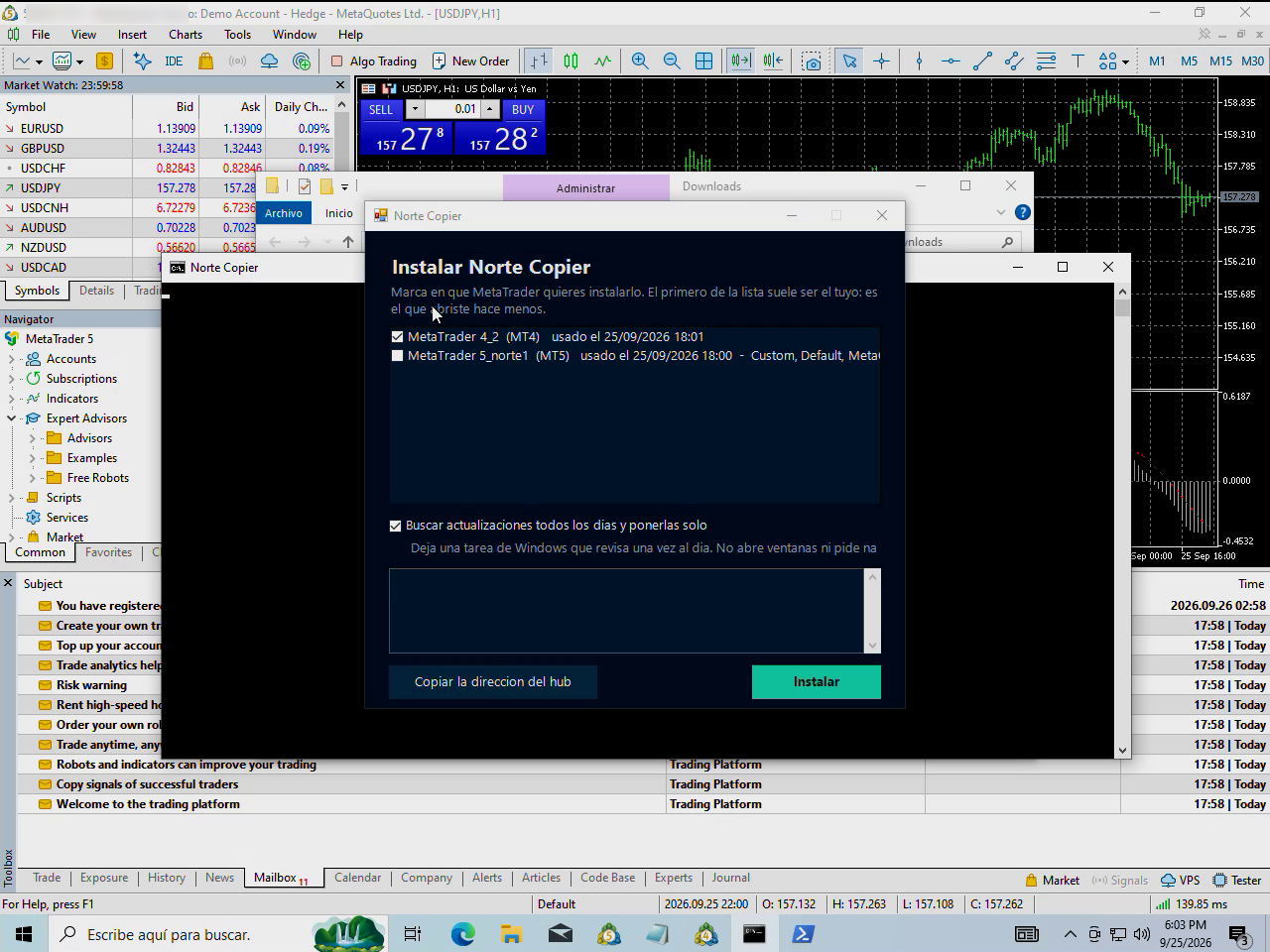
A window opens with your MetaTrader installations. Tick the one you want it in — the first on the list is usually yours, because it is the one you opened most recently — and press Instalar. If you have several, you can tick them all.
Leave the check for updates box ticked: that way the program keeps itself current and you will not have to come back here.
When it finishes it copies our address to the clipboard. You need it in the next step.
4. Allow our address
MetaTrader does not let a program talk to the internet without your permission. That is a protection of its own, and it is good that it exists.
In MetaTrader: Tools → Options → Expert Advisors.
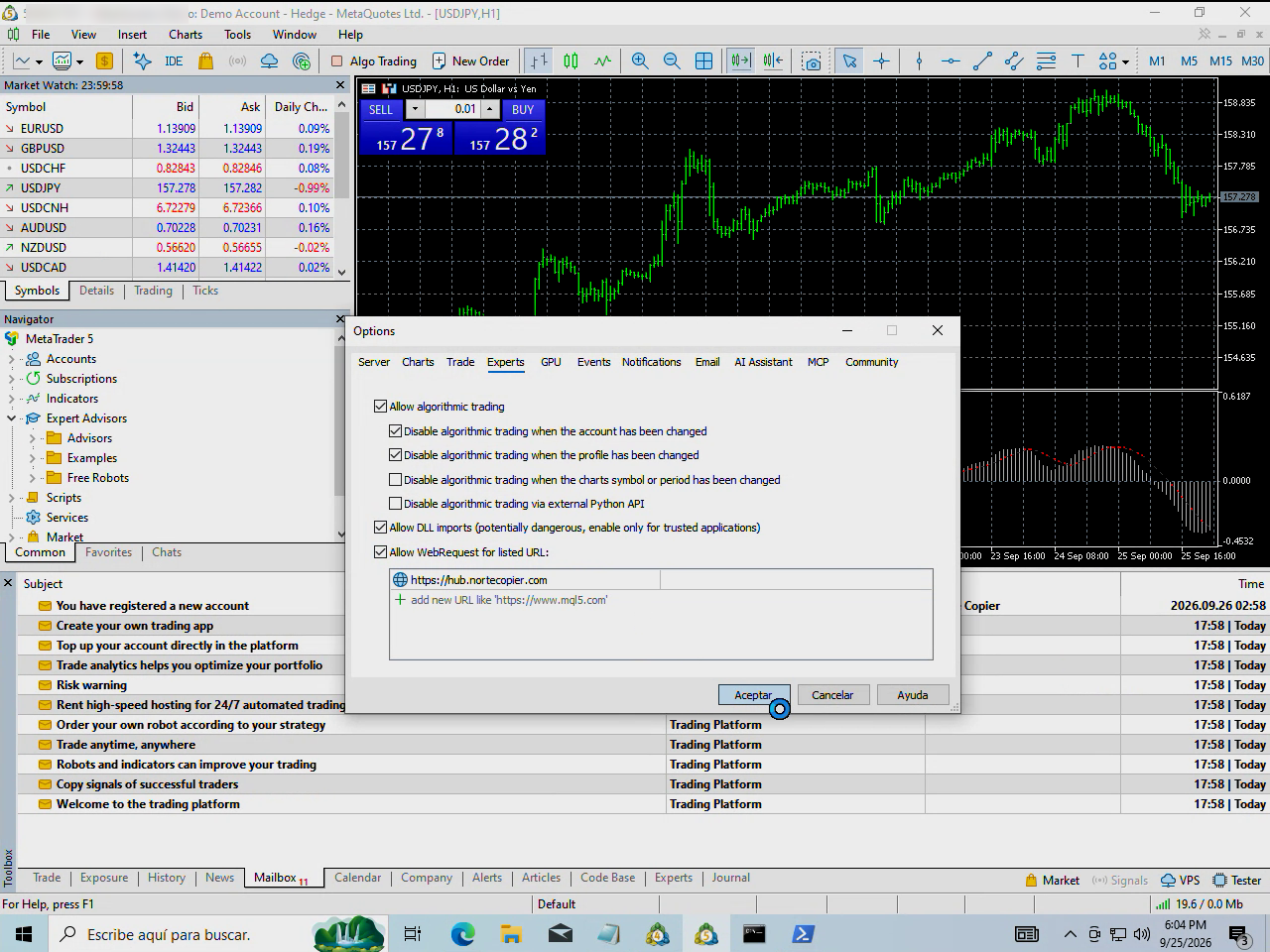
Tick "Allow WebRequest for listed URL" and paste the address the installer copied for you:
https://hub.nortecopier.com
It has to be exactly like that: no trailing slash, no spaces, with https. MetaTrader compares it letter by letter.
Accept.
5. Put it on a chart
Open any chart. The instrument and timeframe do not matter: the program does not trade that chart, it just lives there.
In the Navigator panel (Ctrl+N if you cannot see it), open Expert Advisors. If NorteCopier is not there, right-click on Expert Advisors and choose Refresh.
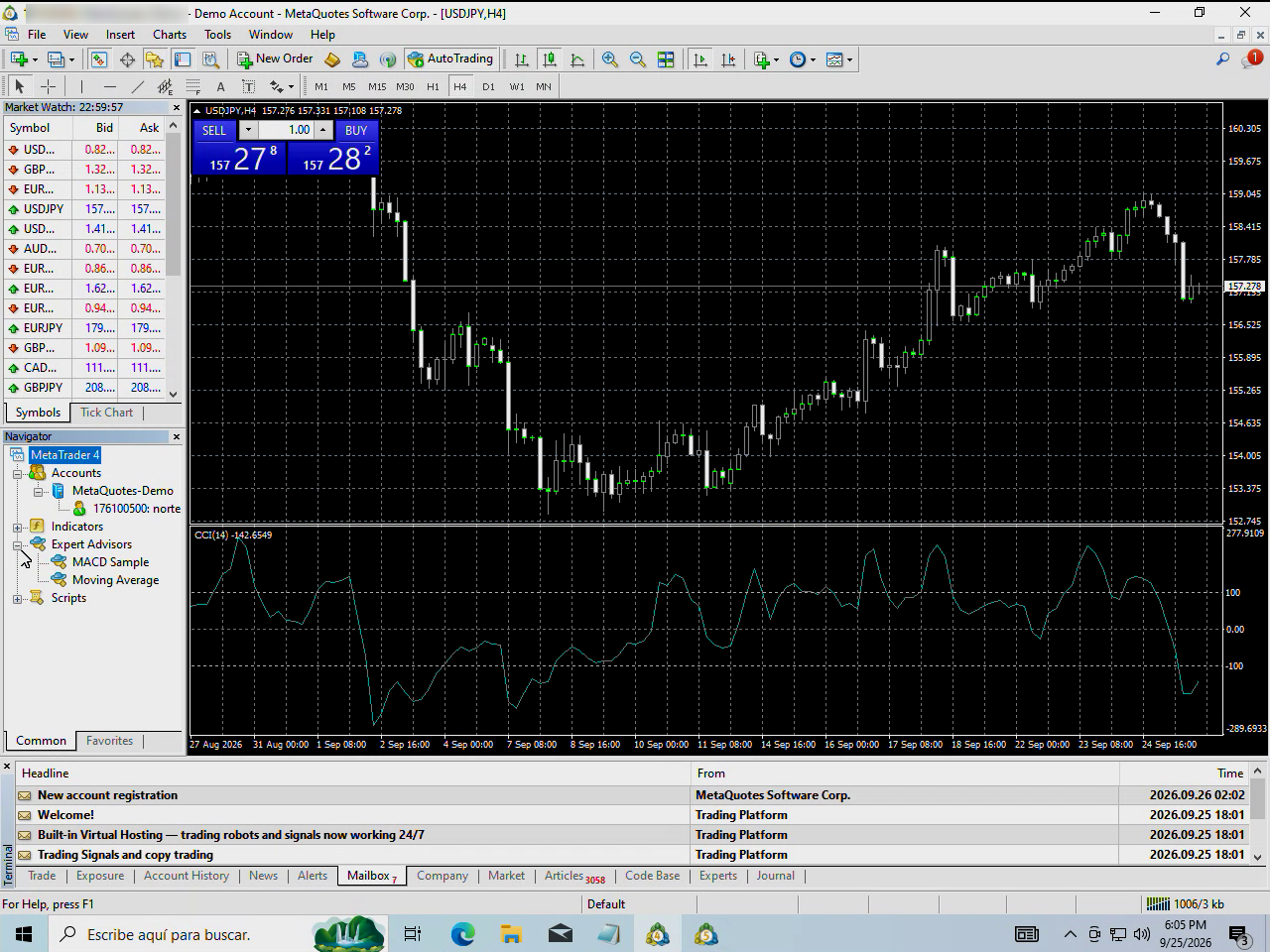
Drag it onto the chart. In the window that appears, Common tab, tick "Allow algorithmic trading" and accept.
And check that the Algo Trading button in the top bar is green.
6. Type the code
The program draws a panel over the chart with a six-digit code.
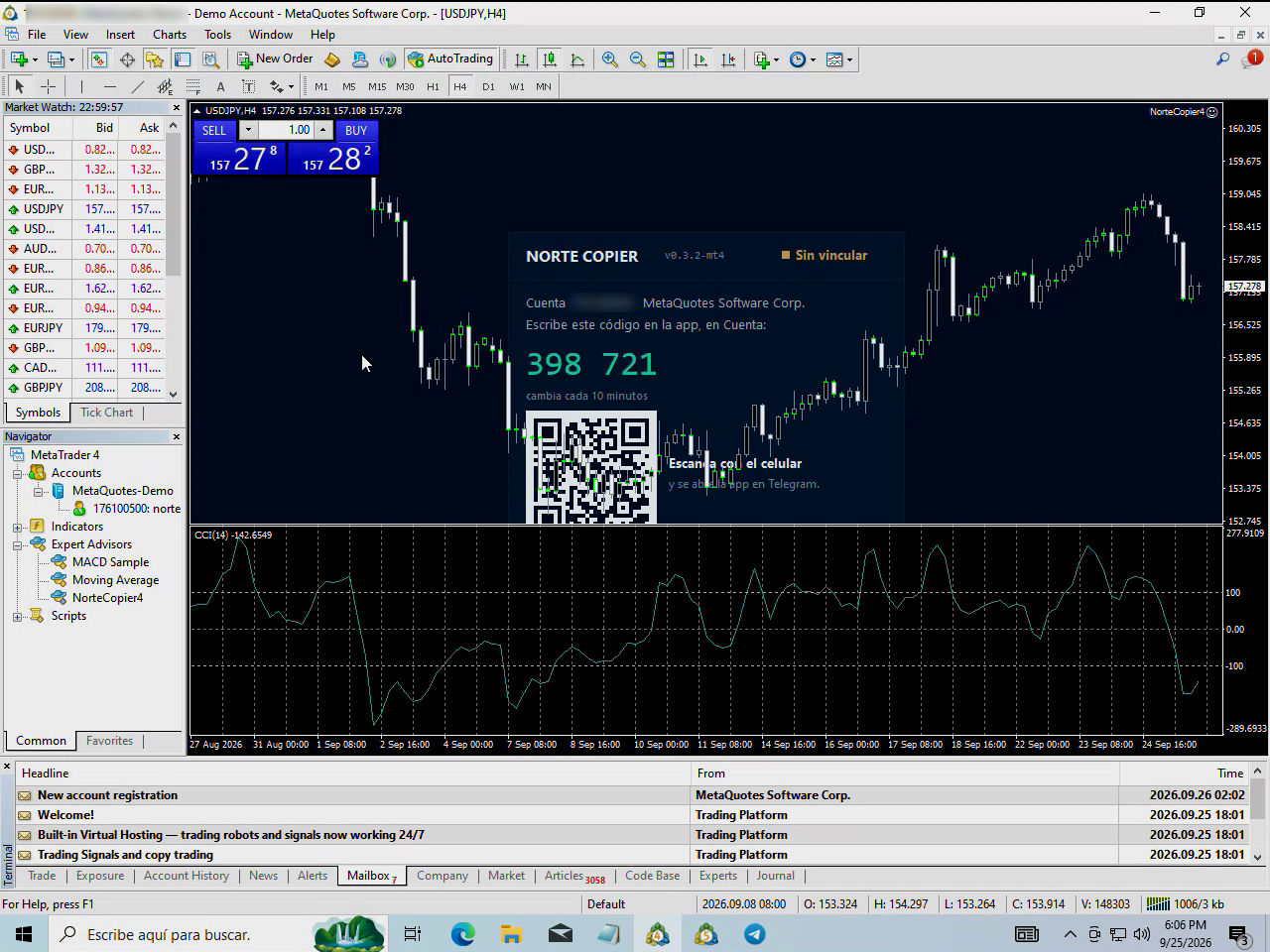
That code changes every ten minutes. If you miss it, wait and the panel gives you another.
Now open the app: in @nortecopierbot, Account → Trading accounts, and type it in.
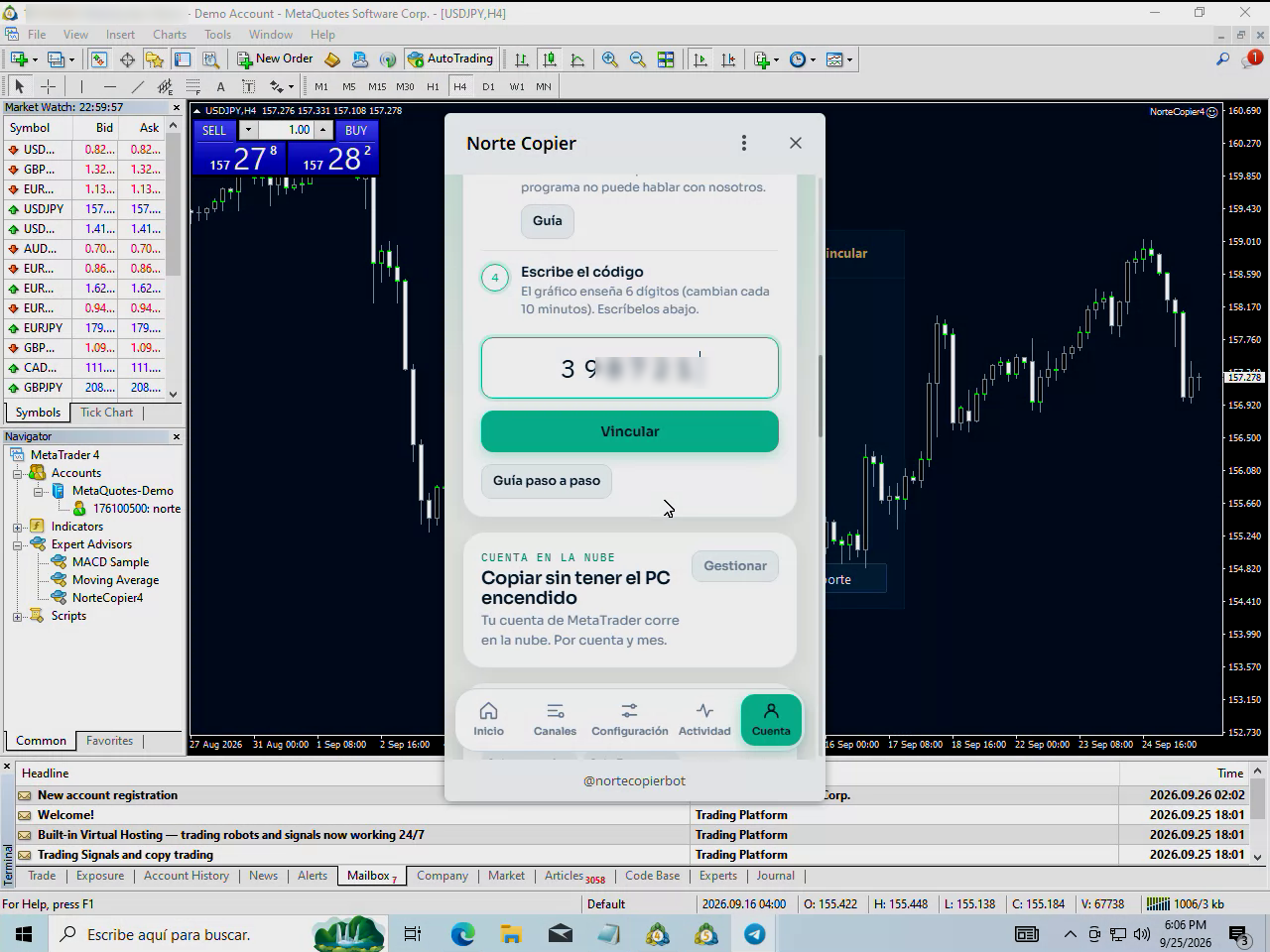
You can also scan the QR with your phone and the app opens straight away.
7. Check it worked
In the app your account appears with its broker, its number and a green dot.
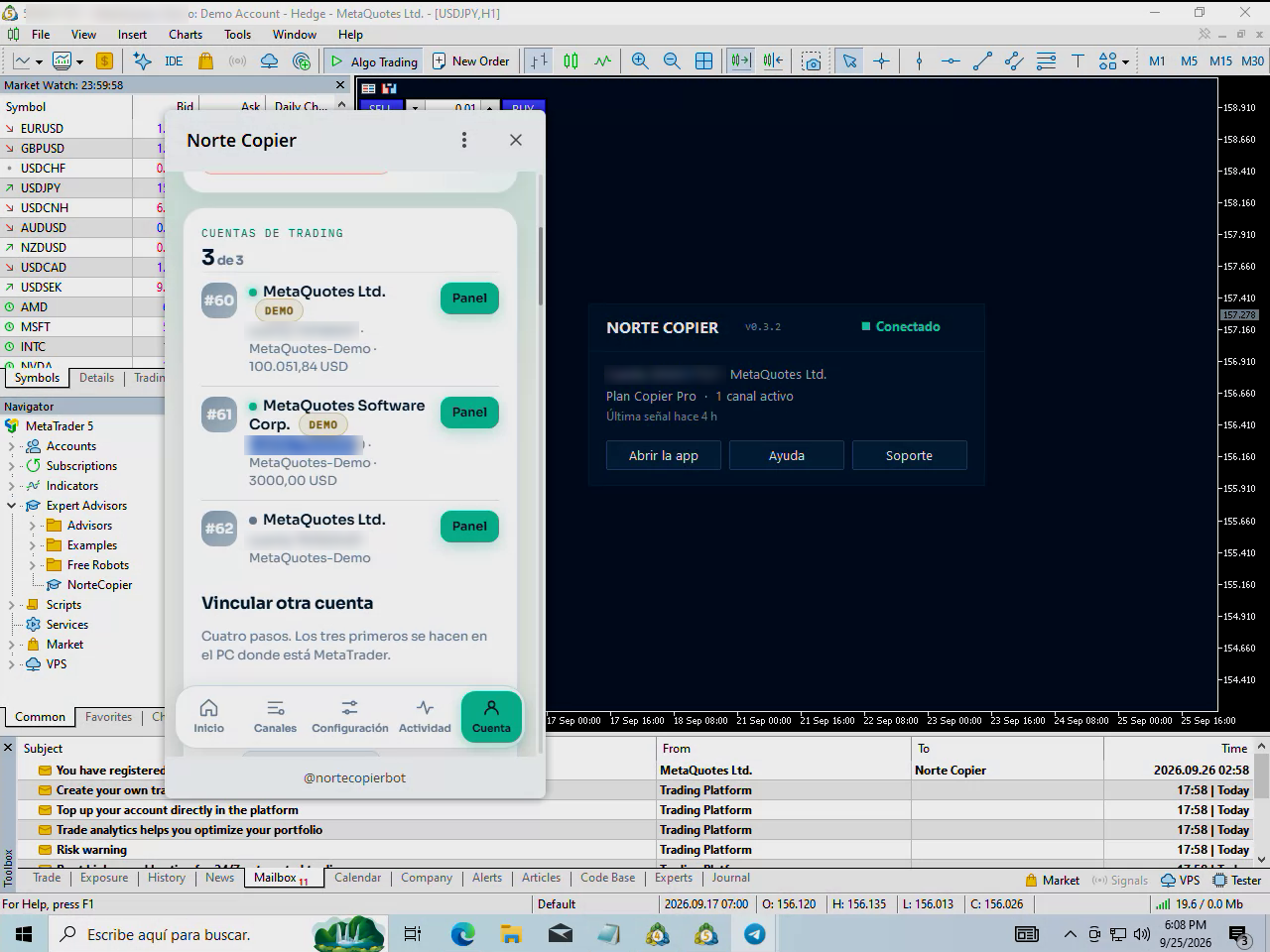
And in MetaTrader, the chart panel goes from "Not linked" to Connected, and shows your plan and your active channels.
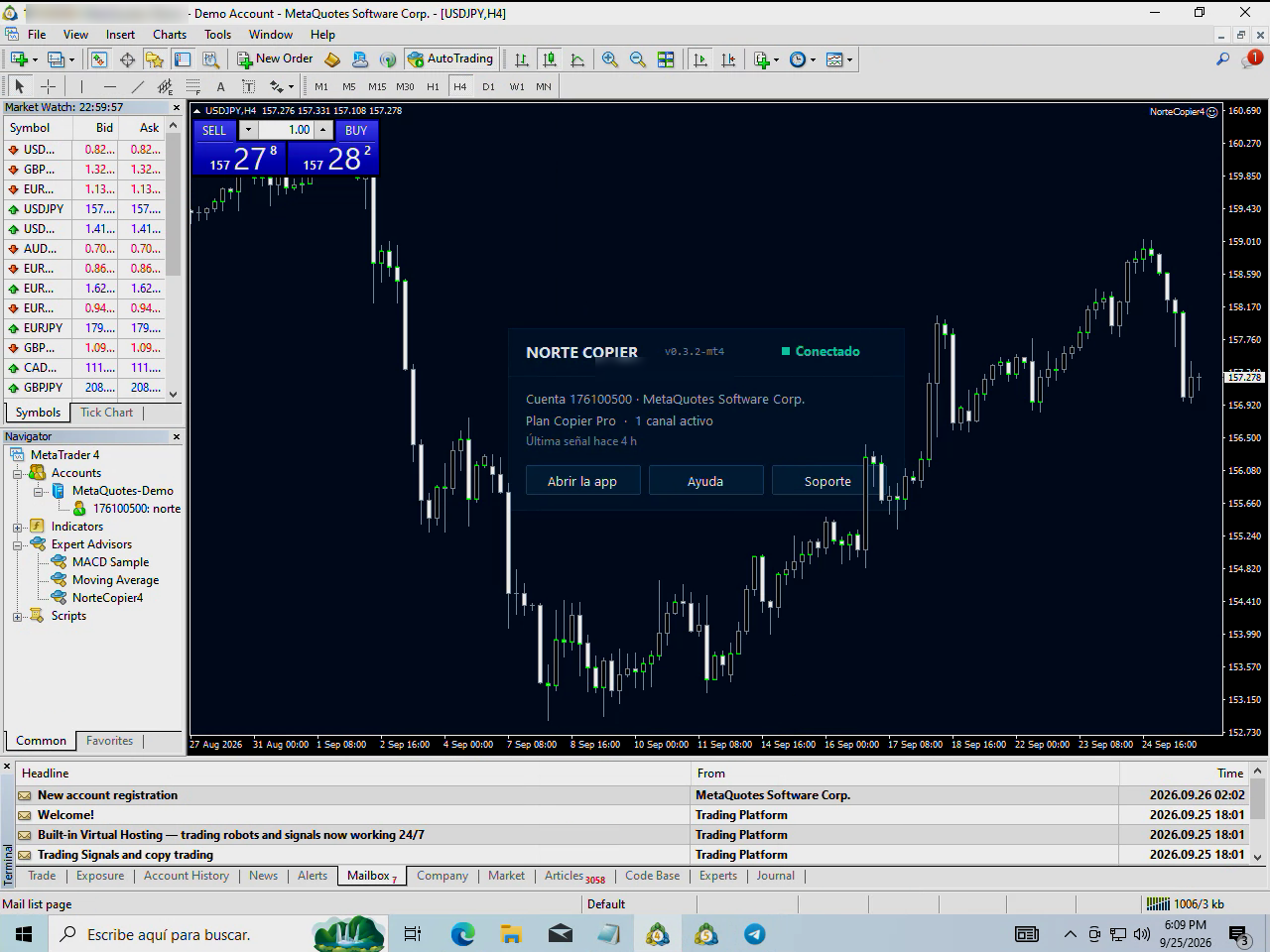
That is it. From here the copier reads the channels you choose.
More than one account?
Repeat steps 5 and 6 on each MetaTrader. The installer already left the program in every one you ticked, so you only have to drag it onto a chart and type its code.
Each account is independent: you can have one in shadow and another copying for real.
If something does not work
- The program is not in the Navigator → right-click Expert Advisors → Refresh.
- The panel says there is no connection → almost always step 4 is missing, or the Algo Trading button is not green. See The terminal shows as disconnected.
- It will not take the code → the ten minutes ran out. Look at the panel: there is a new one already.
Still stuck?
Write to us in the bot and a person reads it. Tell us what you expected and what happened.
Write in Telegram