Linking the terminal with the code on screen
Linking is telling the system that this MetaTrader is yours. It is done once per terminal.
The code
When you load the program onto a chart, its panel says (in Spanish, whatever language you use) “type this code in the app, under Account”, and below it, large, six digits (for example 408 921). That is your code. It changes every ten minutes: if you miss it, the panel will already be showing another.
Typing it
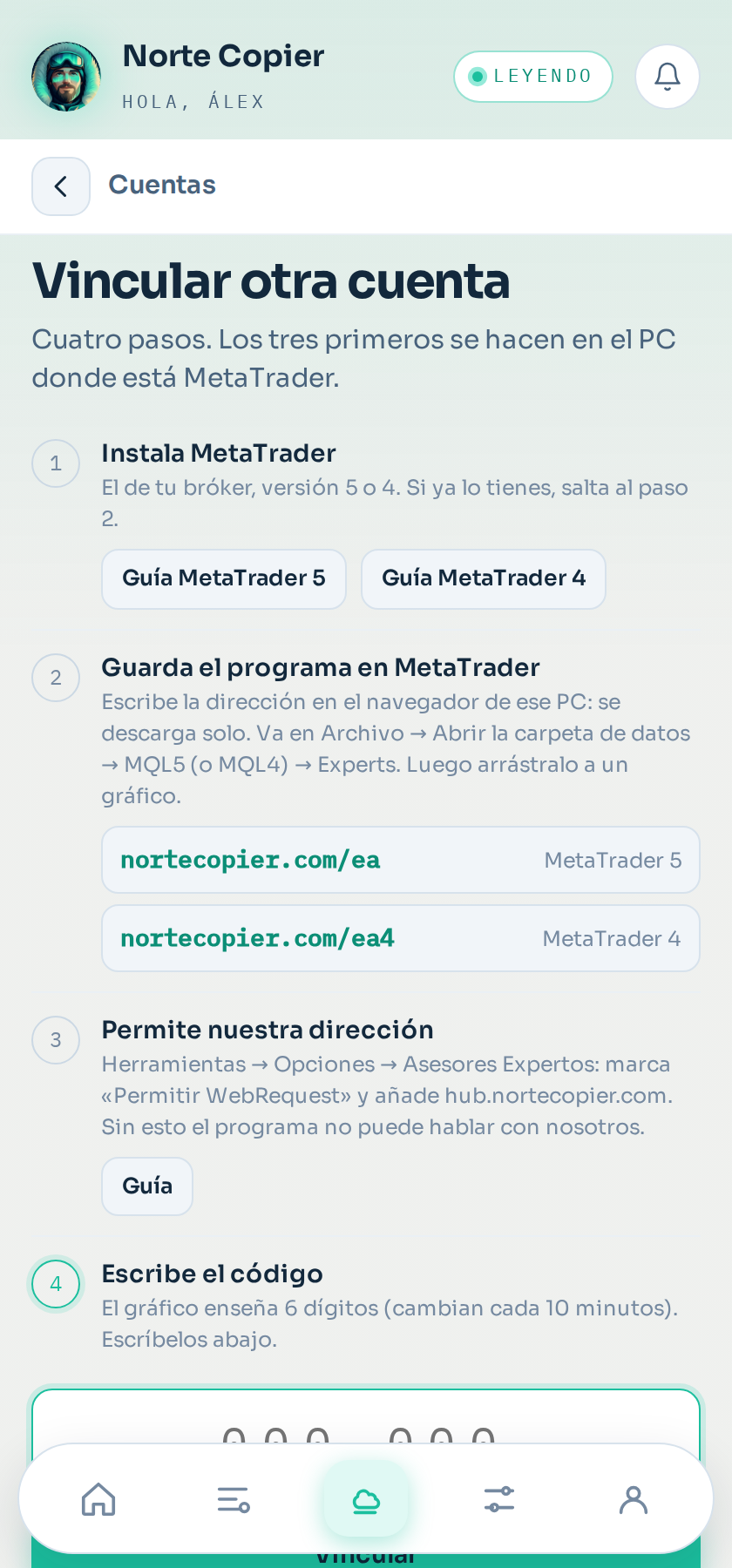
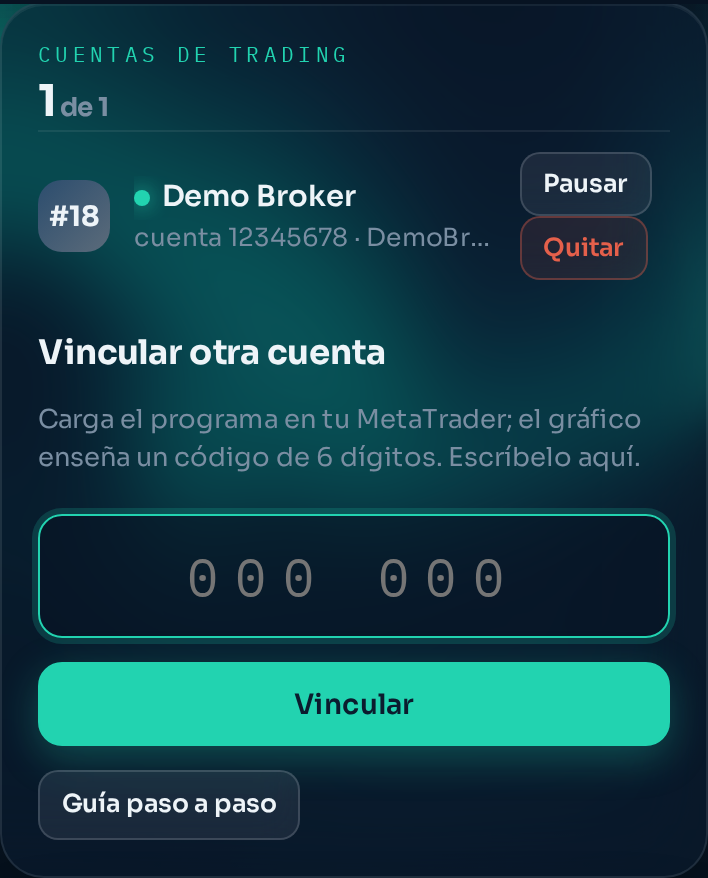
In the app, Accounts → On your computer, type the six digits and tap Link. Typing them into the bot's chat works too. Within two or three seconds the panel on the chart changes and the account appears in the app with its broker, its number, its currency and its balance.
The second account
Once you have one account linked, the four steps tuck away behind the Link another account button on that same screen. Each extra account counts towards your plan's limit.
Removing an account
You do it from that account's panel (tap it under Accounts → On your computer): at the bottom, Remove this account. It stops receiving orders and disappears from your list; whatever you have open at the broker is not touched. See Your account panel.
Why it works this way
Because it is how you prove that you have that MetaTrader in front of you without giving us any password. Only somebody looking at that screen can see the code.
What is stored
The broker, the server, the account number, the balance and the symbol specifications. Not the account password, because it is not asked for and not needed: the program is already inside your MetaTrader, where you signed in yourself.
If you change computer
Load the program there and link again. Each installation is a separate terminal and counts towards your plan's limit.
Still stuck?
Write to us in the bot and a person reads it. Tell us what you expected and what happened.
Write in Telegram