“The symbol does not exist in your terminal”
The channel says "XAUUSD" and your broker calls it XAUUSD.m, GOLD or XAUUSDx. The copier resolves this by itself almost always, but not always.
Where it is: Accounts → the account → Symbol map. (Also from Home, in the shortcuts, and from the settings editor at Expert level.)
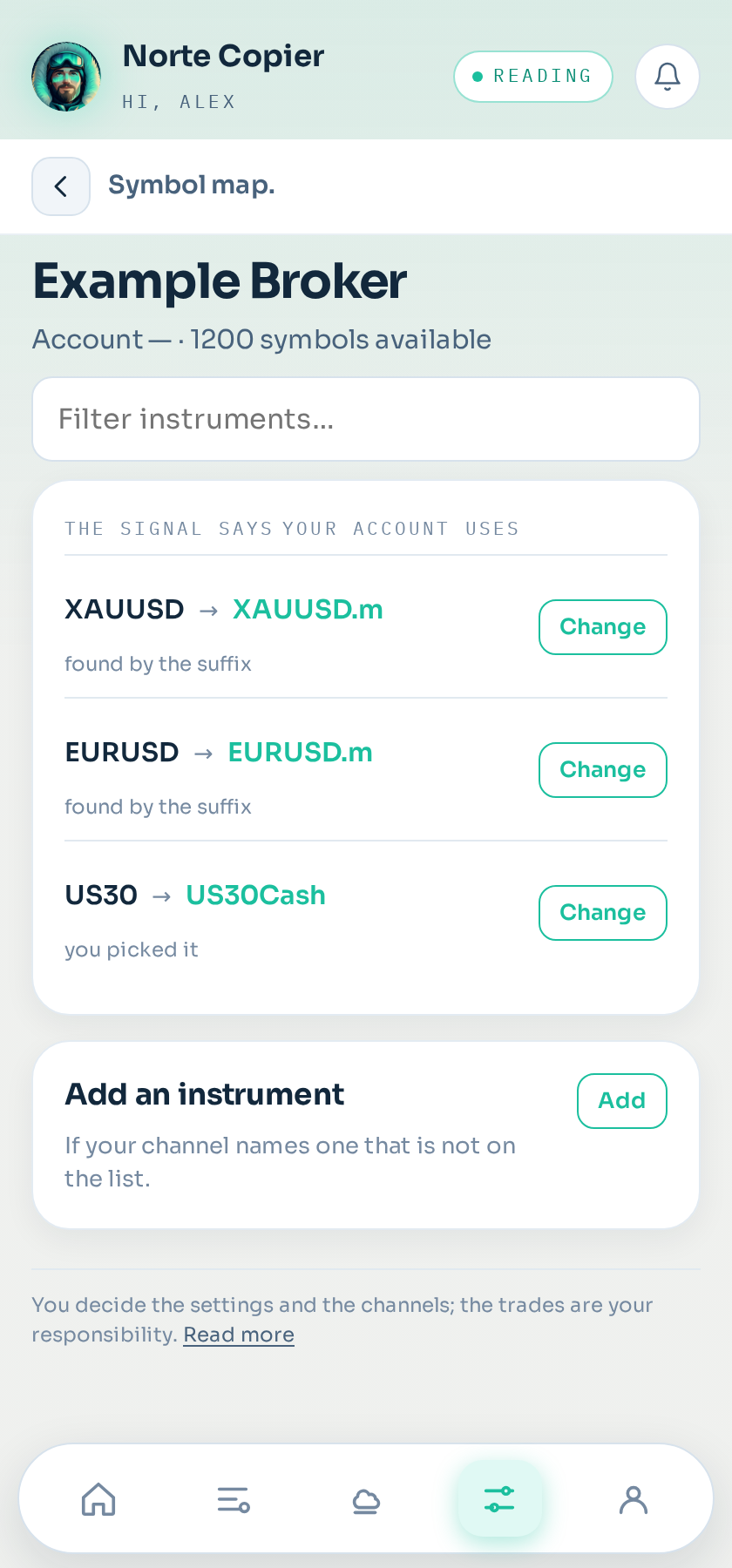
How to change one
Open the account's map and you see, line by line, what name your broker uses for each instrument. To change one, tap Change on its row: the search box with your account's symbols opens right there. If your channel names an instrument that is not on the list, Add an instrument adds it with the name they use.
How it resolves it
When a terminal is linked, your broker's whole catalogue is read, suffixes included. From then on, when a channel names an instrument, its equivalent is looked up in your list.
It also picks up your broker's way of naming things, so what it learns on one instrument serves for the others.
Why it sometimes fails
- Your broker does not offer that instrument. Nothing to be done: you cannot trade what does not exist.
- The symbol is hidden in your MetaTrader. Open Market Watch → right click → Show All, then link again or wait for the next refresh.
- The name is unusual. Some brokers use names that look like nothing else.
The check that protects you
The system does not accept just any resemblance. There are instruments with almost identical names and nothing in common: exchange-traded funds whose name recalls an index, crypto with a name close to a currency. Rather than open a trade in the wrong instrument, it prefers to discard the signal and tell you.
That decision has saved more money than it looks.
How to fix it
In the app, on the Settings tab, you get the list of instruments with the symbol assigned to each on that terminal, and a button to change it. It is saved for that terminal and never asked again.
If you do not know which one it is, look at your MetaTrader's Market Watch: the name shown there is the one that counts.
Still stuck?
Write to us in the bot and a person reads it. Tell us what you expected and what happened.
Write in Telegram