The news filter
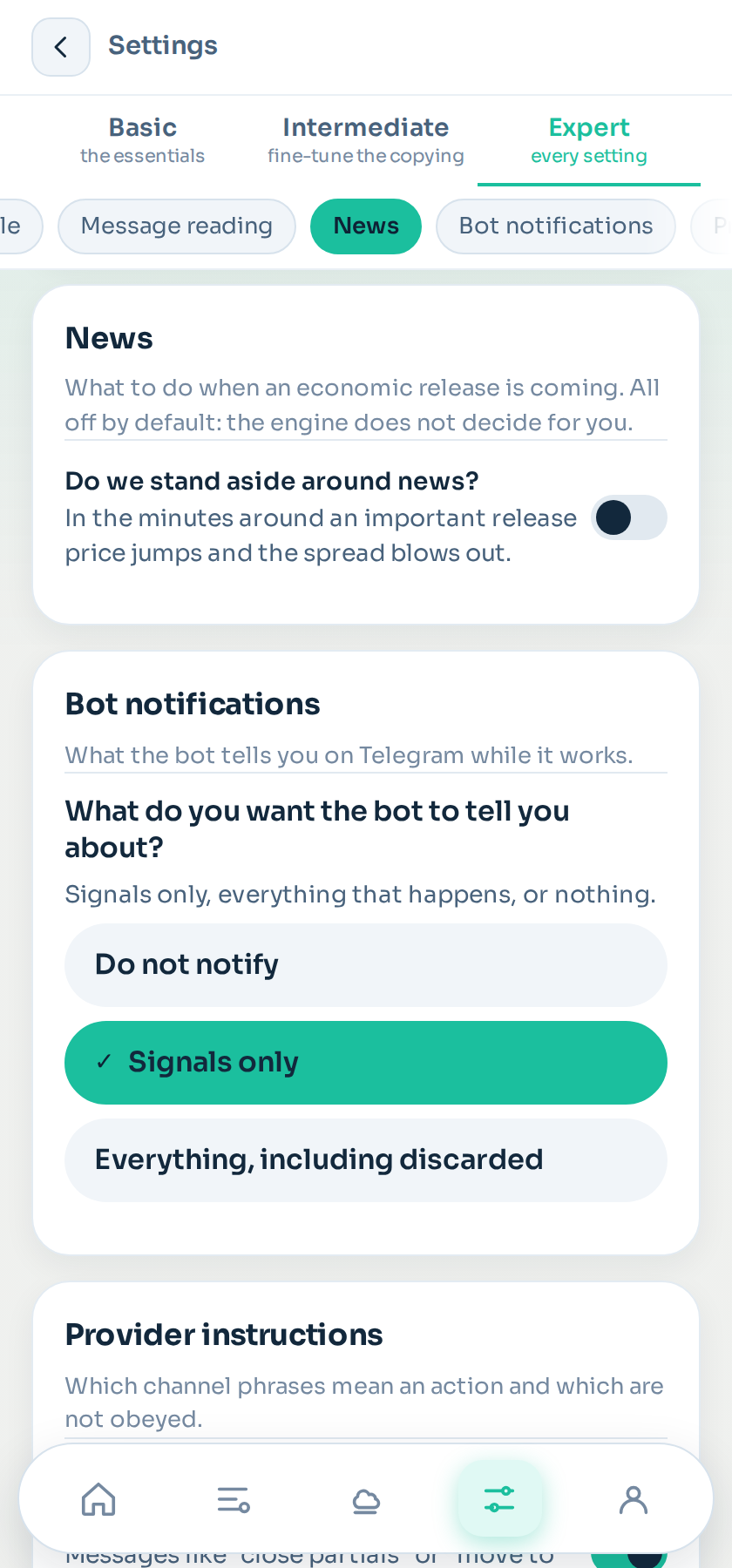
A major economic release moves price in seconds and widens the spread. A signal that enters just before can end at the stop loss because of the noise, not the idea. The news filter exists so that you decide what happens when one is coming.
Where it is: Settings → Edit → News.
Where the news comes from
From the public economic calendar, which gives each event its currency, exact time, impact (high, medium or low) and forecast. It is downloaded several times a day and stored: if the source does not answer, the filter carries on with what it has and warns you if the calendar has gone days without updating.
Which news affects which instrument
The mapping is built in: gold and US indices are affected by US dollar data; a currency pair by its two currencies; oil, additionally, by the weekly inventories. You can replace it with your own list of currencies if your channel trades something unusual.
And some events always count as high whatever the calendar says, because they move everything at once: US non-farm payrolls, the Fed and ECB rate decisions, US CPI, and the Fed chair's testimony.
The settings, per channel
They are in the channel's configuration, under News, and they all come switched off.
- Filter news: the master switch.
- Impact that counts: high only, or high and medium.
- Minutes before and after: the window. Default 30 before and 15 after.
- New signal inside the window: discard it, or wait and enter afterwards if, when the window ends, price is still within your entry margin. That way a good signal posted ten minutes before the release is not lost to the clock.
- Pending orders inside the window: leave them or cancel them.
- Open trades before the release: nothing, stop loss to entry if in profit, close the losing ones, or close all. Closing is a money decision: that is why it comes set to "nothing".
- Minutes before to act: when the above is executed.
- Bank holidays: do not open on a bank holiday of the currency.
- Notify me: a bot message before each event affecting your live channels. Off by default.
How to know whether it helps you
This is the important part. In shadow, signals are evaluated even if the filter would have blocked them, and the channel panel shows two figures: the result with the filter and without it.
Some gold channels live on the news and others die on it. With those two figures you know from data, not guesswork. Leave the filter on in shadow for a few weeks and compare.
When it blocks something
It is always written in the history, with the event's name and the minutes: "blocked: NFP (USD, high) in 22 min". Never a silent discard.
What it does not do
It does not interpret the release: it does not know whether CPI came in better or worse than expected. That is strategy, and we do not do it for you.
Still stuck?
Write to us in the bot and a person reads it. Tell us what you expected and what happened.
Write in Telegram