Identifying each channel in MetaTrader
When you copy three channels at once, everything gets mixed together in MetaTrader. Two things solve it.
Where it is: Settings → Edit → Identification in MetaTrader.
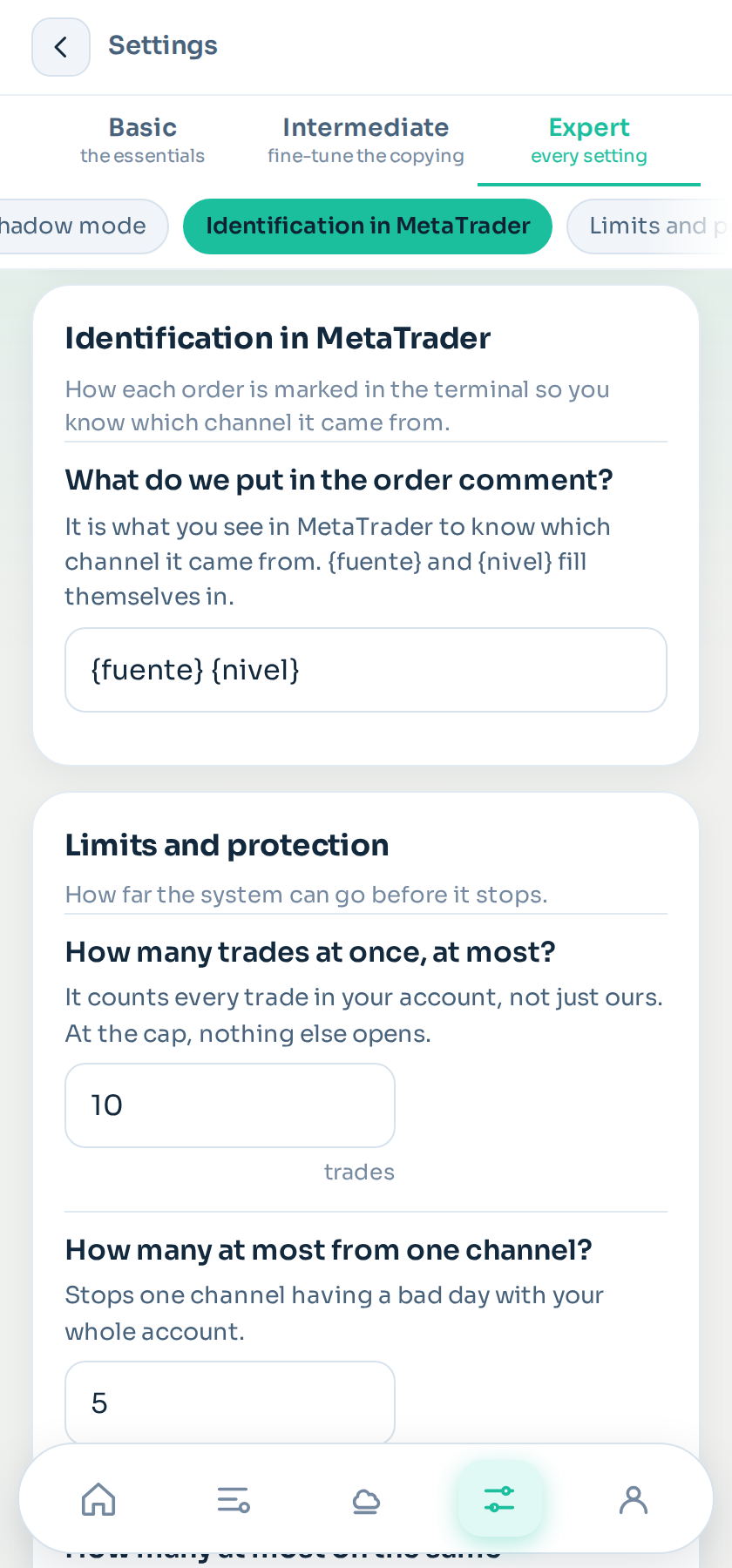
The order comment
Every trade carries a comment with a short label for the channel and the detail that helps you recognise it, for example which take profit it is going to.
You see it on MetaTrader's Trade tab, in the Comment column, and in any report you export. The label is derived from the channel name and you can change it to whatever you want in the source panel.
MetaTrader only allows 31 characters there, so it is necessarily short.
The magic number
On top of that, each channel trades with its own magic number. It is a number MetaTrader stores on every trade and it identifies who opened it.
What it gets you:
- Filtering in MetaTrader. You can see at a glance which trades came from which channel.
- Living alongside other tools. If you have another program trading the same account, they do not step on each other: each manages only its own.
- Reports per channel. When you export the history, the magic number lets you group results by origin.
The important part
The copier only touches the trades it opened itself. It does not close, modify or count the ones you opened by hand or those of another program, even on the same instrument.
You can trade the same account yourself without the copier interfering.
Still stuck?
Write to us in the bot and a person reads it. Tell us what you expected and what happened.
Write in Telegram